How many times have you tried to run a video file, only for your operating system to fail to cooperate, regardless of the software you try to use? Resolving these playback problems can be quite counter-intuitive, and it helps if you can find out more about the video and the exact codecs it requires to run.
Detailed video analysis
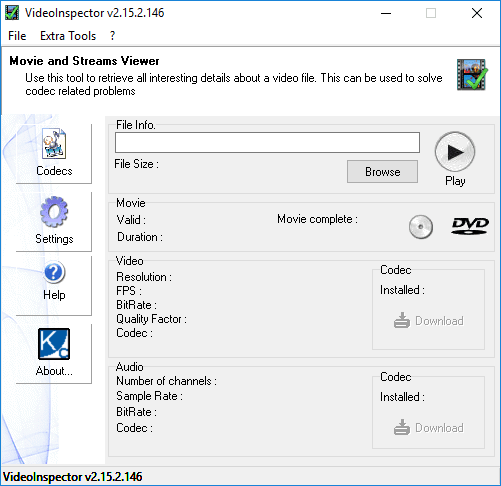
Although KC Softwares discontinued operations in late 2023, VideoInspector remains a helpful tool designed specifically for this purpose. It provides as much information as possible regarding a video file, including resolution, FPS (frames per second), bitrate, quality factor, and the specific codec it uses. It even analyzes the audio content, displaying the number of channels used, the sample rate, and the respective audio codec.Codec detection and limitations
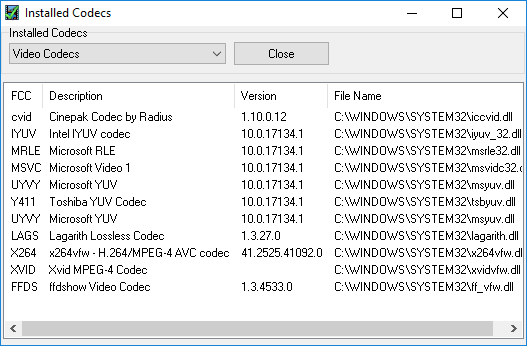
Ultimately, the main function of the tool comes down to identifying the exact codec you need to install if a video fails to play properly. Inside the app, you receive a notification stating whether you have the required codecs installed on your computer, alongside a Download button. Unfortunately, clicking this button simply opens a new browser tab and performs a Google search for the codec, rather than downloading it directly.Extra tools and features
Additional information provided by the app may be useful to advanced users, but it can be found in other, simpler ways. There are also options to burn the file to a DVD or CD, though an external program must be installed for this to work. Finally, there is a Bitrate Grapher feature used to analyze the bitrate for each individual frame.